Most engineers learn EVPN through deployment guides.
They learn:
- How to configure VNIs
- How to enable EVPN
- How to establish BGP sessions
- How to configure route reflectors
Unfortunately, very few resources teach engineers how to troubleshoot EVPN systematically.
That becomes a problem because EVPN failures often appear deceptively simple.
A user reports:
“The server cannot communicate.”
At first glance this sounds like a Layer 2 problem.
Or perhaps a routing problem.
Or perhaps a host issue.
In reality, the root cause may exist in:
- The underlay
- VXLAN transport
- BGP EVPN
- Route targets
- Type 2 advertisements
- VNI mappings
- Anycast gateway configuration
- ARP suppression databases
- Multi-homing state
The challenge is that all of these systems work together.
The good news is that EVPN troubleshooting becomes remarkably predictable once you adopt the correct methodology.
The Golden Rule of EVPN Troubleshooting
Never start with:
EVPN is broken.
Instead ask:
Which component is broken?
An EVPN fabric is actually multiple systems:
Physical Network

↓

IP Underlay

↓

BGP EVPN Control Plane

↓

VXLAN Overlay

↓

Tenant Services

↓

Endpoints
Most outages occur in only one layer.
Your job is to identify which one.
The Troubleshooting Mindset
A disciplined engineer approaches EVPN troubleshooting in the same order every time.
Do not jump directly to:
show bgp evpn
because EVPN is the visible layer.
Instead work from the bottom upward.
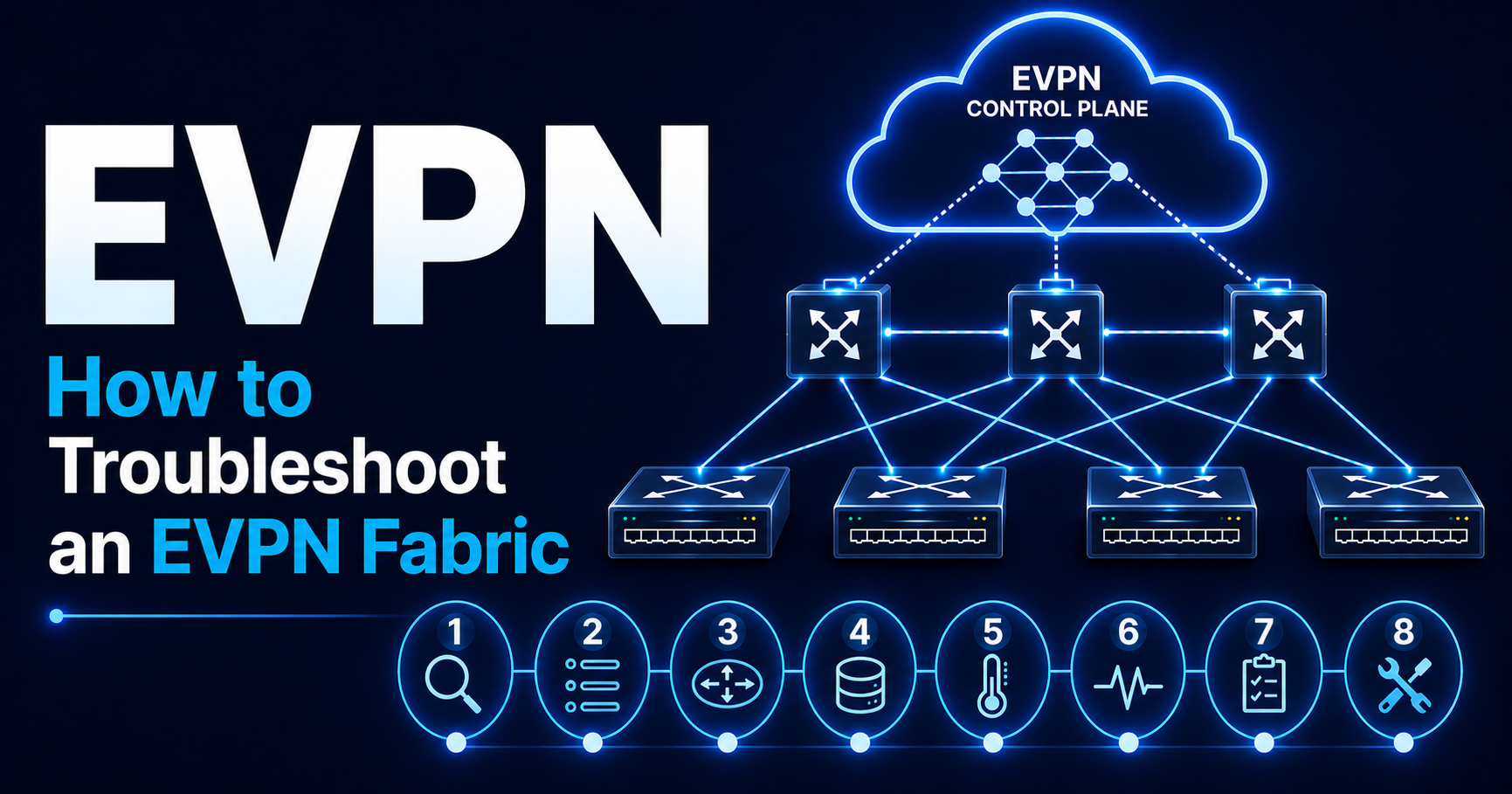
The 8-Step EVPN Troubleshooting Workflow
When a host cannot communicate:
- Verify underlay reachability
- Verify VTEP reachability
- Verify EVPN sessions
- Verify Route Type 2 advertisements
- Verify MAC learning
- Verify ARP suppression entries
- Verify VNI mappings
- Verify Route Target import/export
If followed consistently, this workflow solves most production issues.
Step 1 — Verify Underlay Reachability
Before examining EVPN:
Verify the foundation.
Remember:
VXLAN is transported over IP.
No IP connectivity means no overlay.
Questions to Ask
Can leaf switches reach each other?
Can VTEP loopbacks communicate?
Can spines reach leafs?
Are routing adjacencies healthy?
Healthy Underlay
Example:
Leaf1 → Leaf2

Ping Success

Loopback Reachable

ECMP Active
Healthy routing table:
Remote VTEP Loopbacks Present

Multiple ECMP Paths Available
Broken Underlay Symptoms
Common indicators:
Missing Loopbacks

Missing Routes

Flapping Adjacencies

Packet Loss
Vendor-Neutral Checks
Examples:
show ip route

show route

show bgp summary

show ospf neighbor

show isis adjacency
The exact command varies.
The objective does not.
Key Principle
If the underlay is broken:
Stop troubleshooting EVPN.
Nothing above it can function correctly.
Step 2 — Verify VTEP Reachability
The next step is verifying VXLAN transport endpoints.
Remember:
VXLAN Tunnel
runs between:
VTEP A

and

VTEP B
There is no tunnel session to bring up.
VXLAN only needs IP reachability between VTEPs.
Questions to Ask
Can VTEP loopbacks communicate?
Can VXLAN packets reach the destination?
Is encapsulation occurring?
Healthy State
Example:
VTEP:
10.1.1.11

Reachable
VTEP:
10.1.1.12

Reachable
Common Failure Indicators
Loopback Missing

Tunnel Endpoint Missing

Incorrect Next Hop

MTU Problems
MTU Is Frequently Overlooked
One of the most common EVPN deployment issues:
VXLAN adds 50 bytes of encapsulation overhead.
If the underlay MTU is insufficient:
Intermittent Traffic Loss

Large Packet Failures

Application Instability
appear.
Practical Validation
Verify:
VTEP Loopback Reachability

MTU Consistency (large ping with DF bit set)

ECMP Paths

Tunnel Endpoint Presence
before continuing.
Step 3 — Verify EVPN Sessions
Once transport is confirmed:
Verify the EVPN control plane.
What Are We Checking?
Primarily:
BGP EVPN Adjacencies
Without EVPN sessions:
No route exchange occurs.
Healthy EVPN State
Example:
Neighbor Established

Prefixes Received

Prefixes Advertised
Typical Verification
Examples:
show bgp evpn summary

show bgp l2vpn evpn summary

show bgp neighbors
Healthy Output Characteristics
Look for:
Established

No Flapping

Route Counts Present
Broken Output Characteristics
Examples:
Idle

Active

Connect

Frequent Resets
Common Causes
Route Reflector Issues
Missing RR Peering
Authentication Problems
Password Mismatch
Address Family Issues
EVPN AF Not Enabled
Reachability Issues
Peer Loopback Unreachable

Wrong Update-Source or Missing eBGP Multihop
Important Observation
A session can be:
UP
and still not exchange useful routes.
Never stop at adjacency verification.
Step 4 — Verify Route Type 2 Advertisements
This is where many EVPN issues become visible.
Remember:
Type 2 routes represent:
MAC

IP

Endpoint Reachability
If Type 2 routes are wrong:
Everything above them breaks.
What Are We Looking For?
Suppose:
Host A

10.10.10.10
cannot reach:
Host B

10.10.10.20
Check:
Does the fabric know Host B exists?
Check in this order:
Host B's leaf: is the route advertised?

Host A's leaf: is the route received and imported?
Healthy Output
You should see:
MAC Address

IP Address

Correct VTEP

Correct VNI
Example
MAC:
aa:bb:cc:dd:ee:ff

IP:
10.10.10.20

VTEP:
10.1.1.12

VNI:
10100
Broken Output
Common examples:
No Route Present
or
Wrong VTEP
or
Wrong VNI
Common Root Causes
Endpoint Not Learned
MAC Missing
Incorrect VRF
Wrong Tenant
Route Filtering
RT Import Failure
Mobility Event Issues
Stale Location
Step 5 — Verify MAC Learning
Now validate local endpoint learning.
Traditional Question
Can the switch actually see the host?
Healthy State
Example:
MAC Learned

Correct Interface

Correct VLAN
Verification Examples
show mac address-table

show ethernet-switching table

show bridge-domain
Broken State
MAC Missing
or
MAC Learned on Wrong Interface
Common Causes
Server Issues
NIC Failure
VLAN Issues
Incorrect Access VLAN
Port-Channel Problems
LACP Mismatch
Multi-Homing Issues
ESI Misconfiguration
Step 6 — Verify ARP Suppression
Many engineers assume:
ARP Suppression Problem = ARP Problem
Usually it is not.
ARP suppression depends on:
MAC+IP Type 2 Routes
Healthy State
The local VTEP should know:
IP

MAC

VNI

Origin VTEP
Typical Checks
Examples:
show ip arp suppression-cache detail

show evpn arp-cache vni all
Healthy Output
Example:
IP:
10.10.10.20

MAC:
aa:bb:cc:dd:ee:ff
Broken Output
Entry Missing
which usually means:
Type 2 Missing
Or ARP suppression is not enabled on that VNI.
Important Operational Insight
Most ARP suppression issues are not ARP suppression issues.
They are endpoint advertisement issues.
Always verify Type 2 routes first.
Step 7 — Verify VNI Mapping
A surprisingly common source of outages.
Why VNI Mapping Matters
The EVPN control plane may be healthy.
The endpoint may be learned.
Yet traffic still fails.
Why?
Because services are mapped incorrectly.
Example
Correct:
VLAN 100

↓

VNI 10100
Incorrect:
Leaf1

VLAN 100
→ VNI 10100

Leaf2

VLAN 100
→ VNI 10200
Now endpoints appear isolated.
VLAN numbers are local to each leaf and can differ.
The VNI must match.
Typical Symptoms
Endpoints Learned

No Connectivity
This often confuses engineers.
Validation
Check:
Bridge Domain

VNI

VRF Association
on both ends.
Healthy State
VNI mappings match on both leafs.
Broken State
VNI mappings differ.
Step 8 — Verify Route Target Import/Export
This is one of the most common EVPN deployment mistakes.
Why RTs Matter
Remember:
Route Targets determine:
Which VRFs Import Routes
A route may exist.
But if the receiving VRF does not import it:
The route is invisible.
Healthy State
Example:
Export RT

65000:10100
Remote side:
Import RT

65000:10100
Route imported successfully.
Broken State
Example:
Export RT

65000:10100
Remote side:
Import RT

65000:10200
No route import.
No connectivity.
Symptoms
Very common:
Route Present On Source

Missing On Destination
Typical Verification
Check:
VRF

Import RT

Export RT

Route Presence
The Most Common Production EVPN Failures
Across many deployments, the same issues repeatedly appear.
Missing Type 2 Routes
Symptoms:
Endpoint Unreachable

ARP Flooded Instead of Suppressed
Incorrect RT Configuration
Symptoms:
Routes Exist

Not Imported
VNI Mismatch
Symptoms:
Learning Works

Forwarding Fails
Route Reflector Issues
Symptoms:
Partial Route Visibility
Underlay Reachability Problems
Symptoms:
Overlay Appears Broken
but the root cause is below EVPN.
MTU Issues
Symptoms:
Intermittent Connectivity

Large Packet Loss
These are particularly painful to diagnose.
Healthy EVPN Mental Model
When troubleshooting:
Imagine every endpoint follows this chain:
Host

↓

MAC Learning

↓

Type 2 Route

↓

EVPN Distribution

↓

Remote VTEP

↓

VXLAN Encapsulation

↓

Remote Host
The objective is finding where the chain breaks.
A Practical Troubleshooting Example
User reports:
VM-A cannot reach VM-B
Workflow:
Step 1
Underlay reachable?
Yes
Step 2
VTEPs reachable?
Yes
Step 3
EVPN peers established?
Yes
Step 4
Type 2 route present?
No
Problem located.
Focus shifts to endpoint advertisement.
This disciplined process dramatically reduces troubleshooting time.
Operational Best Practices
When operating EVPN fabrics:
Always collect:
EVPN Routes

MAC Tables

ARP Tables

VNI Mappings

RT Information
before making changes.
Many outages become harder to diagnose because evidence disappears after reconvergence.
Key Takeaways
Every engineer troubleshooting EVPN should remember:
- Troubleshoot bottom-up, not top-down.
- Verify the underlay before examining EVPN.
- VTEP reachability is foundational.
- Healthy BGP sessions do not guarantee healthy EVPN.
- Type 2 routes are the most important operational route type.
- Most endpoint issues involve Type 2 advertisements.
- ARP suppression depends on MAC/IP route information.
- VNI mismatches create deceptively difficult outages.
- Route target mistakes are among the most common design errors.
- MTU problems remain one of the most overlooked causes of EVPN instability.
- Most EVPN outages become straightforward when approached systematically.
- Always identify which layer is broken before attempting a fix.
In Part 6 (Final Part), we will cover Common EVPN Design Mistakes, When NOT to Deploy EVPN, Real-world Deployment Lessons, The Mental Model Every Architect Should Use, and conclude with “10 EVPN Principles Every Engineer Should Memorize.” This final section will focus on architectural judgment, operational maturity, and the lessons engineers typically learn only after running EVPN in production.