If EVPN is the control plane of the modern data center, then EVPN route types are its language.
Every meaningful operation inside an EVPN fabric is represented through a route advertisement.
When engineers first encounter EVPN route types, the reaction is usually:
“Why does EVPN need so many route types?”
The answer is simple.
Traditional Ethernet relied on flooding and local learning.
EVPN replaces those mechanisms with explicit signaling.
Different operational functions require different types of information.
Instead of blindly flooding traffic and hoping switches learn something useful, EVPN advertises exactly what needs to be known.
Once you understand the purpose of each route type, EVPN becomes dramatically easier to troubleshoot.
One of the best pieces of advice I can give engineers learning EVPN is:
When troubleshooting EVPN, think in route types rather than protocols.
Ask:
- Which route should exist?
- Why should it exist?
- Who should advertise it?
- Who should receive it?
Most EVPN problems become much easier to solve.
The Five Route Types Every Engineer Must Understand
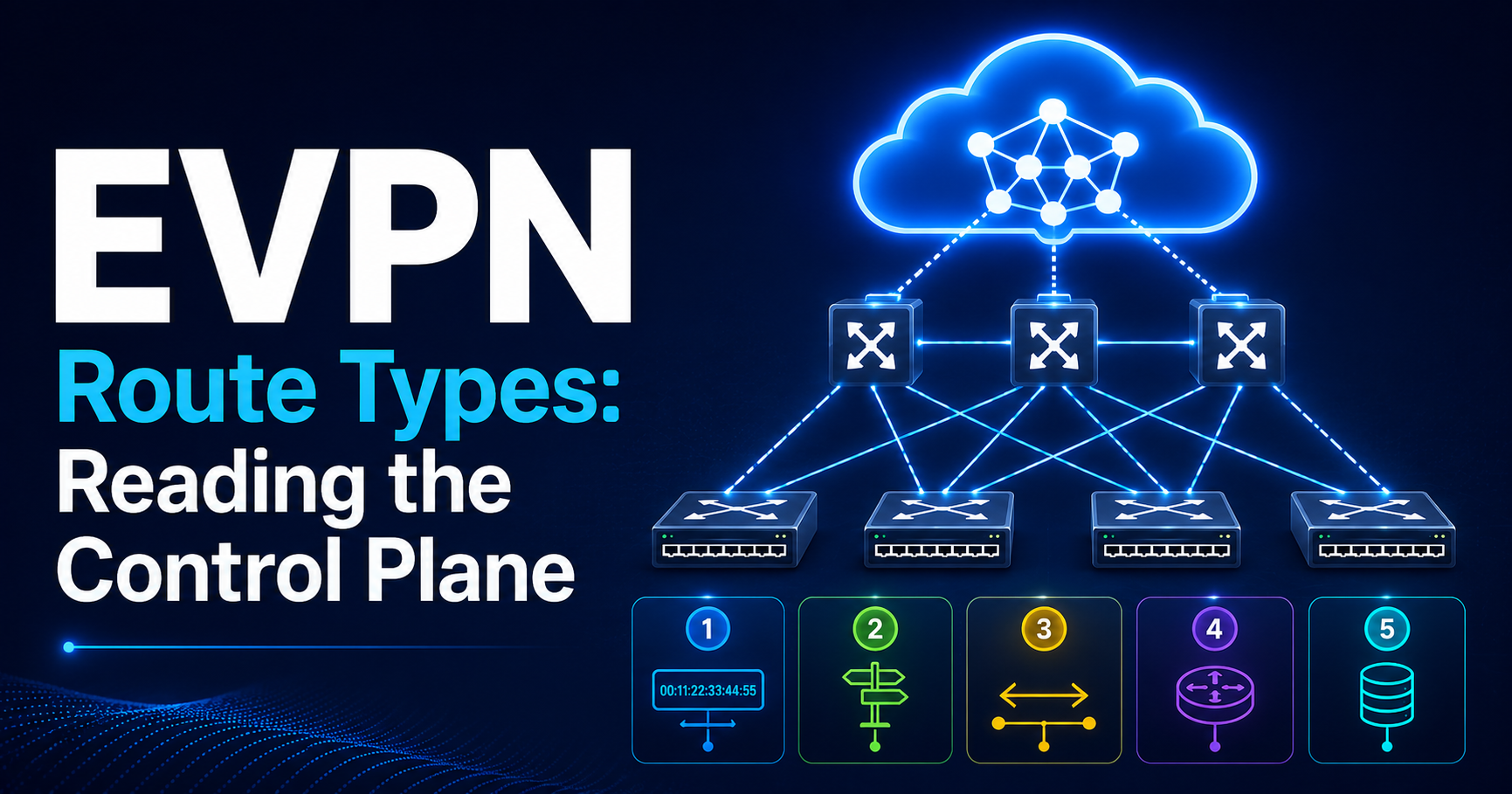
For VXLAN EVPN deployments, the most important route types are:
| Route Type | Purpose |
|---|---|
| Type 1 | Ethernet Auto Discovery |
| Type 2 | MAC/IP Advertisement |
| Type 3 | Inclusive Multicast Ethernet Tag |
| Type 4 | Ethernet Segment |
| Type 5 | IP Prefix Advertisement |
You may encounter additional route types in RFC documentation, but these five form the foundation of nearly every EVPN deployment.
Route Type 1 — Ethernet Auto Discovery Route
Why It Exists
Route Type 1 exists primarily to support:
- Multi-homing
- Fast convergence
- Aliasing
- Backup path discovery
Think of Type 1 routes as:
“I am attached to this Ethernet Segment.”
Without Type 1 routes, EVPN multi-homing would not function.
The Problem Being Solved
Imagine a server connected to:
Server
  |
  +---- Leaf1
  |
  +---- Leaf2
Both leaf switches must advertise:
- The server attachment
- The Ethernet segment identity
- Redundancy information
Remote VTEPs need to know:
- Which VTEPs participate
- Which paths are available
- Which backup paths exist
Type 1 routes provide this information.
Trigger for Creation
Type 1 routes are typically generated when:
- An Ethernet Segment becomes active
- A multi-homed device connects
- A VTEP participates in an ESI
Type 1 routes are primarily relevant in EVPN multi-homing scenarios and are advertised per Ethernet Segment and/or per EVI, depending on implementation and use case.
Key Components
A Type 1 route typically includes:
- ESI
- RD
- Next Hop
- Ethernet Tag ID
Most importantly:
Ethernet Segment Identifier (ESI)
The ESI uniquely identifies a multi-homed segment.
Example:
ESI:
0000:0000:0000:0001
Every participating leaf advertises the same ESI.
Why This Matters
Remote VTEPs now understand:
ESI 1
 |
 +-- Leaf1
 |
 +-- Leaf2
This creates path awareness.
Without it, EVPN would view each attachment independently.
Troubleshooting Indicators
When Type 1 routes are missing:
Common symptoms:
- Multi-homing fails
- Traffic blackholes after failures
- Aliasing fails
- Backup paths disappear
Questions to ask:
Is the ESI configured?

Is the Ethernet Segment active?

Are Type 1 routes visible?
Route Type 2 — MAC/IP Advertisement Route
If there is one EVPN route type every engineer must master, it is Type 2.
Type 2 routes are the heart of EVPN.
Why Type 2 Exists
Traditional Ethernet learns MAC addresses through traffic.
EVPN replaces this with:
Control-plane MAC learning.
Instead of flooding:
Who owns MAC X?
The VTEP already knows.
Because another VTEP advertised it.
What Type 2 Carries
Type 2 routes advertise:
- MAC addresses
- An optional IP address, when the MAC/IP binding is known
Mobility sequencing information may be attached to a Type 2 route via the MAC Mobility extended community.
Example:
MAC:
aa:bb:cc:dd:ee:ff

IP:
10.10.10.5

VNI:
10100

VTEP:
10.0.0.11
This tells the fabric:
“If you need this endpoint, send traffic here.”
Trigger for Creation
Type 2 routes appear when:
- MAC learned (endpoint discovered on local port)
- IP learned via ARP/ND (optional, enables MAC/IP binding)
- Host becomes active (e.g. VM boot, port-up)
Example:
VM boots

↓

Leaf learns MAC

↓

Leaf learns IP

↓

Leaf advertises Type 2
Remote VTEPs that import the relevant Route Target receive the information.
Why MAC/IP Binding Matters
A major EVPN advantage is:
MAC and IP information travel together.
Traditional Ethernet learns:
MAC only
EVPN learns:
MAC + IP
This enables:
- ARP suppression
- Mobility tracking
- Better visibility
Host Mobility
Type 2 routes also handle mobility.
Example:
VM moves

Leaf1 → Leaf2
Leaf2 advertises a new Type 2 route with a higher MAC Mobility sequence number.
Remote VTEPs prefer Leaf2’s route. Leaf1 withdraws its Type 2 route once it detects the MAC has moved.
The fabric converges to the new location automatically, without requiring flooding or manual relearning.
Troubleshooting Indicators
When Type 2 routes are missing:
Symptoms:
- Host unreachable
- ARP failures
- Unknown unicast flooding
- Endpoint visibility issues
Verify:
Show EVPN Type 2 routes

Show MAC table

Show VNI endpoint database
Healthy state:
MAC visible

IP visible

Correct VTEP visible
Broken state:
Missing endpoint

Wrong VTEP

Mobility conflict
Route Type 3 — Inclusive Multicast Ethernet Tag Route
Type 3 routes confuse many engineers because they seem less visible during normal operations.
However they are critical.
Why Type 3 Exists
Even EVPN fabrics must transport:
- Broadcast traffic
- Unknown unicast traffic
- Multicast traffic
Collectively known as:
BUM Traffic
Broadcast
Unknown Unicast
Multicast
Type 3 routes tell VTEPs:
“Here are the remote VTEPs that participate in this VNI and should receive BUM traffic.”
The Flood List
Every VTEP builds a flood list.
Example:
Tenant A

Leaf1
Leaf2
Leaf3
Leaf4
Type 3 routes help construct:
Replication Targets
Without Type 3 routes:
BUM traffic has nowhere to go.
Trigger for Creation
Generated when:
- VNI becomes active
- VTEP joins segment
- Tenant becomes operational
Replication Models
Two primary models exist.
Head-End Replication
Most common.
Source VTEP replicates traffic.
Example:
Leaf1

Copies packet to:

Leaf2
Leaf3
Leaf4
Simple.
Popular.
Widely deployed.
Multicast Replication
Underlay multicast handles replication.
Advantages:
- Efficient bandwidth use
Disadvantages:
- Operational complexity
Most modern VXLAN EVPN fabrics use head-end replication.
Troubleshooting Indicators
Missing Type 3 routes often cause:
- ARP failures
- DHCP failures
- Broadcast failures
Questions:
Do flood lists exist?

Are Type 3 routes present?

Are all VTEPs participating?
Route Type 4 — Ethernet Segment Route
Type 4 routes are another multi-homing route.
Many engineers initially confuse Type 1 and Type 4.
They serve different purposes.
Why Type 4 Exists
Type 4 routes advertise:
“I participate in Ethernet Segment X.”
Their primary purpose is:
- ESI discovery
- DF election support
- Multi-homing awareness
Relationship to Type 1
Think of it this way:
Type 1:
Path information
Type 4:
Segment participation information
Both work together.
Trigger for Creation
Generated when:
- Ethernet Segment configured
- ESI active
- Multi-homing enabled
Designated Forwarder (DF) Election
One major Type 4 function:
DF election.
In EVPN multi-homing:
Leaf1
Leaf2
Both connect to the same segment.
Only one should forward certain traffic types.
Type 4 routes facilitate the election process.
Troubleshooting Indicators
Missing Type 4 routes often result in:
- DF election failures
- Duplicate forwarding
- Traffic loss after failover
Verify:
ESI visibility

DF state

Type 4 advertisements
Route Type 5 — IP Prefix Route
Type 5 routes advertise IP prefixes, extending EVPN beyond individual host reachability to scalable Layer 3 tenant routing, route summarization, and external network interconnection.
Why Type 5 Exists
Type 5 routes advertise:
IP prefixes.
Example:
10.100.10.0/24

10.200.20.0/24

172.16.100.0/24
This enables:
- Inter-subnet routing
- Inter-VRF prefix leaking (via Route Target import/export policy)
- External route advertisement
- Tenant routing
The Problem Type 5 Solves
Imagine:
Tenant A

Subnet A
10.1.1.0/24

Subnet B
10.1.2.0/24
Hosts communicate through distributed gateways.
When the fabric needs to advertise summarized, external, or inter-VRF prefixes rather than individual host endpoints, Type 5 routes provide the mechanism.
This allows EVPN to distribute network reachability information at scale.
Trigger for Creation
Common triggers:
- Connected subnet redistributed into BGP EVPN
- Static route redistributed into BGP EVPN
- External route redistributed from IGP or BGP into EVPN
Typical Use Cases
Inter-Subnet Routing
Example:
10.1.1.0/24

↓

10.1.2.0/24
Traffic routed through distributed gateways.
Type 5 distributes reachability.
Tenant Route Distribution
Example:
Tenant A

10.1.0.0/16
Advertised throughout fabric.
External Connectivity
Example:
Firewall

Internet

WAN

MPLS
An external router or firewall redistributes these prefixes into BGP EVPN. Type 5 routes then distribute external reachability across the fabric.
Why Type 5 Is Frequently Misunderstood
A common misconception:
“Type 5 routes replace Type 2 routes.”
Incorrect.
Type 2:
tells the fabric where a specific endpoint lives.
Type 5:
tells the fabric where an IP prefix or network lives.
Both are required.
Troubleshooting Indicators
Problems often appear as:
- Inter-subnet routing failures
- Missing tenant routes
- Route leakage issues
Verify:
VRF routing table

Type 5 advertisements

Route Targets

VNI mapping
Understanding Route Types as a System
One of the biggest mistakes engineers make is treating route types independently.
In reality they work together.
Example:
Host attaches
Creates:
Type 2
Multi-homed via ESI?
Creates:
Type 1
Type 4
Tenant active?
Creates:
Type 3
Inter-subnet routing?
Creates:
Type 5
Everything is interconnected.
Practical Mental Model
When troubleshooting, think of EVPN route types as answering five questions:
| Route Type | Question |
|---|---|
| Type 1 | What backup paths exist? |
| Type 2 | Where is the endpoint? |
| Type 3 | Who participates in flooding? |
| Type 4 | Who belongs to this Ethernet Segment? |
| Type 5 | Where is the IP network? |
This simple framework solves a surprising number of EVPN troubleshooting situations.
Common Exam and Interview Question
If someone asks:
“Which EVPN route type is most important?”
My answer is:
Type 2.
Because Type 2 routes carry MAC/IP bindings and endpoint reachability. The MAC Mobility extended community, attached to Type 2 routes, handles host mobility sequencing.
Most operational issues engineers troubleshoot daily involve Type 2 routes.
However, in multi-homing deployments, Type 1 and Type 4 become equally critical.
Key Takeaways
Before moving to EVPN multi-homing and VXLAN integration, every engineer should remember:
- EVPN communicates through route advertisements.
- Route Type 2 is the foundation of endpoint reachability.
- Route Types 1 and 4 enable EVPN multi-homing.
- Route Type 3 builds BUM replication lists.
- Route Type 5 distributes IP prefixes and tenant routing information.
- Host mobility relies on Type 2 route updates carrying the MAC Mobility extended community, which sequences endpoint location changes.
- Missing route types often reveal the exact location of a problem.
- Most EVPN troubleshooting begins by verifying the expected route type exists.
In Part 3, we will dive into EVPN Multi-Homing Deep Dive, ESI design, Designated Forwarder election, Aliasing, Fast Convergence, EVPN-VXLAN packet forwarding, Distributed Anycast Gateway, and ARP Suppression Explained Properly—the topics that separate engineers who can configure EVPN from engineers who truly understand how it behaves in production.